
NZXT Lift Wireless Review: A Lightweight Gaming Mouse That Nails Precision, Comfort, and Value
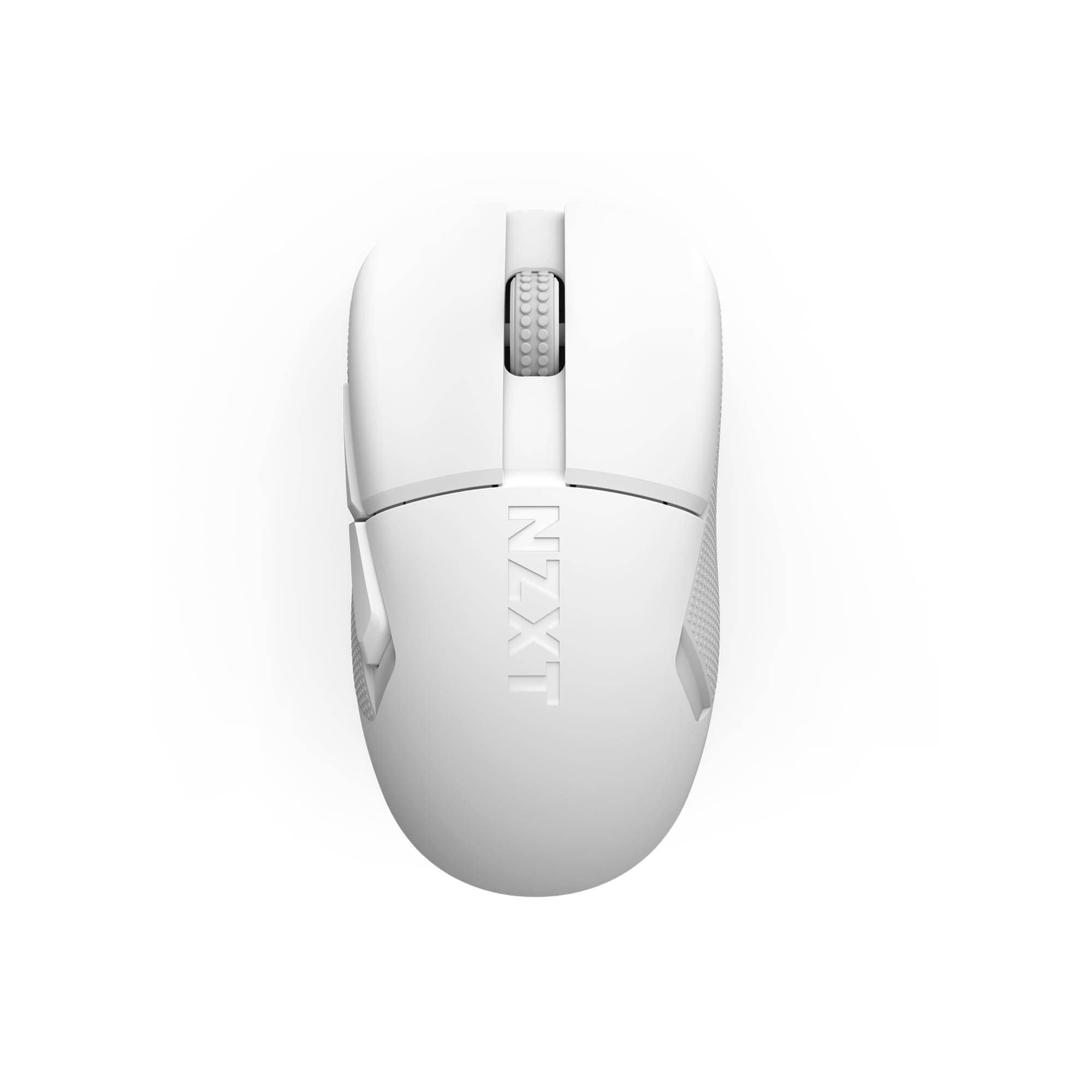
The NZXT Lift Lightweight Wireless Gaming Mouse aims to give competitive gamers a fast, featherweight feel without compromising on control, build quality, or battery life. Featuring a flagship-grade PixArt sensor, low-latency 2.4 GHz wireless, and NZXT’s CAM software, it’s built for shooters and fast-paced multiplayer titles. In this in-depth review, we look at the Lift Wireless’s key features, performance, design, pricing, and how it stacks up against rivals—so you can decide if it belongs on your desk.
Key Features and Specifications
The NZXT Lift Lightweight Wireless Gaming Mouse blends a proven shape with enthusiast-tier hardware to deliver reliable performance at a competitive price. While specifics can vary by version or region, the following specs capture what most buyers should expect.
- Sensor: PixArt PAW 3395 (flagship-class, widely used in esports mice)
- Resolution (DPI/CPI): Up to 26,000 DPI with multiple on-device DPI stages
- Tracking: Up to ~650 IPS and 50 g acceleration (typical for PAW 3395 implementations)
- Polling rate: 1000 Hz via included 2.4 GHz receiver; up to 4000 Hz with an optional high-speed dongle (sold separately)
- Weight: Approximately 60–65 g depending on variant and finish
- Shape: Symmetrical shell with right-handed button layout (two left-side buttons)
- Switches: Crisp, durable primary switches (commonly Kailh GM 8.0 or equivalent, rated for tens of millions of clicks)
- Feet: Virgin PTFE skates for low friction and smooth glide
- Connectivity: 2.4 GHz wireless (USB-A dongle) plus USB-C wired play-and-charge
- Battery life: Long-lasting, typically in the ~70–100 hour range depending on lighting and polling rate
- RGB: Subtle lighting accents (configurable in software)
- Software: NZXT CAM for DPI, polling rate, LOD, macros, lighting, and profiles
- On-board memory: Store preferred DPI stages and settings for use without software
- Cable: Lightweight USB-C charging cable included
- Warranty: Typically 2 years (varies by region)
At its core, the Lift Wireless is defined by speed, precision, and light weight. The PAW 3395 is a known quantity in competitive circles, offering clean tracking, excellent responsiveness, and robust configurable options. Combine this with a sub-70 g class chassis and modern wireless, and you have a versatile mouse suitable for FPS, MOBA, and even productivity workflows.
Performance and Real-World Quality
Performance is where the NZXT Lift Wireless earns its keep. The PixArt 3395 sensor is a top-tier performer, delivering raw tracking quality that feels smooth and consistent across low, medium, and high sensitivities. Aim correction (angle snapping) is disabled by default and can be toggled in software if desired. Cursor movement feels true-to-hand without acceleration or errant smoothing at common DPI levels, and micro-adjustments for headshots or pixel-perfect edits feel predictable.
Latency and responsiveness are excellent over the included 2.4 GHz connection at 1000 Hz polling. Flicks, micro-corrections, and rapid multi-click sequences register instantly, and the mouse remains stable even in RF-noisy environments thanks to its strong, modern receiver. If you want the absolute bleeding edge, NZXT supports an optional 4K polling dongle that can push the wireless polling rate to up to 4000 Hz. The practical uplift you feel will depend on your frame rate and skill ceiling, but for hardcore players chasing marginal gains, it’s a welcome upgrade path.
Glide quality is aided by virgin PTFE feet, which deliver a quick, low-friction feel on cloth and hybrid pads. Initial friction is minimal, and the consistent edge geometry makes for smooth tracking in long swipes and small corrections alike. If you’re coming from older, thicker skates or lower-grade plastics, the difference in glide is immediately noticeable. Pairing the Lift Wireless with a fast cloth or hybrid pad accentuates its nimble character without sacrificing control.
The primary switches are snappy and tactile, with clear separation between left and right clicks. Pre-travel is minimal and post-travel well managed, making rapid-fire clicking feel confident. Side buttons are positioned within easy reach for right-handed users and actuate cleanly without mushiness. The scroll wheel offers defined steps and a positive middle-click; it’s neither whisper-quiet nor overly loud, striking a sensible balance for gaming and desktop use.
Battery life is another strength. With RGB kept modest and polling at 1000 Hz, you can expect multi-day to week-long usage for typical play sessions. Heavy use at higher polling rates, or maxing out lighting, will naturally shorten endurance. Charging over USB-C is straightforward, and the included cable is light enough to play while charging without feeling like you’ve suddenly strapped a rope to your mouse.
Advanced users will appreciate NZXT CAM controls for granular tuning. You can set DPI in fine increments, adjust lift-off distance (LOD) to your surface and preference, toggle ripple control and angle snapping, manage sleep timers, and store multiple profiles on-board. The software is more streamlined than some competing suites, and NZXT has iterated on CAM’s stability considerably in recent years, though—like any companion app—it’s best kept updated.
In fast-paced shooters, the combined effect of accurate tracking, crisp clicks, and low latency yields high confidence. Micro-aim, burst firing, and rapid 180-degree turns translate cleanly, and the mouse never feels like it’s fighting your inputs. For MOBAs and RTS, the consistent wheel steps and reliable side buttons help with ability cycling and macro execution. Outside of games, pixel-level precision carries over nicely to creative apps and spreadsheets.
Design and Build Quality
The NZXT Lift Wireless embraces a minimalist, symmetrical silhouette with a right-handed button layout. This shape suits a wide range of hand sizes and grip types—especially claw and fingertip, with palm grip viable for medium hands. The slight rear hump offers support without feeling bulky, and the sides taper just enough to aid lift-off control. It’s a smart, safe shape that prioritizes versatility over extreme contours.
Weight is squarely in the modern lightweight class—roughly the low 60-gram range depending on finish and unit variance. Crucially, it achieves this without resorting to honeycomb shells, so you get a clean, closed-top design that keeps dust out and maintains a more premium feel in the hand. The result is a mouse that feels quick on the pad yet substantial enough to avoid floatiness.
Build quality is solid and confidence-inspiring. The shell feels sturdy with minimal flex, creaks are rare, and the seam work is tidy. Buttons sit firmly with minimal wobble, and the scroll wheel housing is well-centered. The coating is a matte finish that balances grip and cleanliness—grippy enough for sweaty sessions but not so chalky that it picks up oils immediately. Texture is consistent across the shell for a uniform hand feel.
Underneath, the PTFE feet are well-sized and rounded to reduce edge catching. Placement allows stable contact on most pads, which further enhances control during micro-corrections. The sensor ring keeps debris from interfering with tracking, and the USB-C port is recessed just enough to protect the connector without limiting third-party cable compatibility. If you like to customize, the flat base and standard skate sizes make aftermarket feet an easy upgrade path.
NZXT’s subtle aesthetic touches—clean logo placement, restrained RGB accents, and a minimalist color palette—give the Lift Wireless a tasteful, desk-friendly look that pairs well with other NZXT gear. It’s a gaming mouse that doesn’t scream for attention, which many players and professionals prefer.
Pros and Cons
- Pros
- Flagship-grade PixArt PAW 3395 sensor with clean, accurate tracking
- Lightweight, closed-shell design around 60–65 g without honeycomb cutouts
- Low-latency 2.4 GHz wireless with stable connection and on-board profiles
- Optional 4K polling dongle support for enthusiasts chasing the lowest input variance
- Comfortable, versatile ambidextrous-shaped shell for claw and fingertip grips
- Smooth, rounded PTFE feet and crisp, satisfying switch feel
- Clean aesthetics and USB-C play-and-charge convenience
- Thoughtful CAM software with LOD control, DPI tuning, macros, and RGB
- Cons
- Right-hand side buttons only—left-handed players wanting mirrored buttons may need another model
- RGB is minimal; lighting enthusiasts might want more zones
- Optional 4K dongle is an extra cost if you want maximum polling rates
- Shape is safe rather than exotic; some may prefer a more aggressive ergonomic contour
- CAM is lighter than many suites but still another app to install and maintain
Value, Pricing, and Alternatives
NZXT positions the Lift Lightweight Wireless as a performance-first mouse at a mid-range price. Street pricing commonly lands around the $90–$110 USD bracket depending on variant, color, and seasonal promos. That puts it in a sweet spot: less than many halo esports mice, while offering nearly the same sensor and wireless tech. The optional 4K polling receiver, if you choose to add it, is typically an additional modest outlay.
From a value standpoint, the Lift Wireless punches hard. You’re getting a top-tier sensor, a refined lightweight shell, and reliable 2.4 GHz wireless in one package. Many competitors charge more for essentially the same core sensor performance. Unless you specifically need ultralight sub-50 g shells, Bluetooth multipoint, or brand-specific features (like Razer’s HyperPolling or Logitech’s HERO 2 ecosystem and receiver interoperability), the Lift Wireless provides excellent bang for the buck.
Here’s how it stacks up to popular alternatives:
- Razer Viper V2 Pro / Viper V3 Pro: Lighter overall and paired with slick software and accessories, but often significantly more expensive. Razer’s optional high-speed dongles can push polling higher, yet the Lift Wireless narrows the practical gap for less cash.
- Logitech G Pro X Superlight 2: Industry benchmark for many pros with a bespoke HERO 2 sensor and exceptional receiver tech. It’s pricier and minimalist on features. If you value receiver ecosystem and absolute top-tier weight-to-battery tuning, the GPX2 is stellar; if you want similar in-game results at lower cost, the Lift Wireless is compelling.
- Pulsar X2 / X2V2 Wireless: Competitive weight and the same class of 3395 sensor. Pulsar offers numerous shapes and coatings; pricing is similar or slightly higher depending on edition. The Lift Wireless competes well on build feel and aesthetic polish.
- Glorious Model O 2 Wireless: Often near the Lift’s price with comparable specs and weight. Glorious tends to offer bolder RGB and aggressive styling; NZXT counters with a more understated look and strong overall refinement.
- Cooler Master MM712: Typically cheaper and very light, with hybrid connectivity (2.4 GHz plus Bluetooth). However, some users report more variance in QC and wheel feel. If budget is tight and you want BT, the MM712 is a solid pick; for a more premium, consistent feel, the Lift Wireless stands out.
- Lamzu Atlantis / Atlantis Mini: Excellent shapes and weight with PAW 3395 inside. Lamzu caters to niche shape preferences; if the Atlantis shape fits you perfectly, it’s fantastic. If you want a more mainstream shape and NZXT’s software ecosystem, the Lift Wireless is the safer choice.
Bottom line: the Lift Wireless competes with big names while undercutting many of them on price. Even if you later spring for the optional 4K polling, the total spend typically remains lower than flagship rivals, making the overall value proposition particularly strong for aspiring and seasoned competitive players alike.
Who Should Buy the NZXT Lift Wireless
The NZXT Lift Lightweight Wireless Gaming Mouse is a smart fit for a wide range of players, but there are scenarios where it shines brightest. Consider it if any of the following describe your needs:
- Competitive FPS players seeking clean tracking and low click latency without paying flagship premiums.
- Claw and fingertip grippers who prefer a light, symmetrical shell with a manageable rear hump.
- Medium hand sizes (and some smaller/larger hands) wanting a safe, versatile shape that won’t fight your grip style.
- Minimalist setups where understated design, subtle RGB, and a clean top shell are preferred.
- Value-focused enthusiasts who want 3395-level performance and optional 4K polling at a mid-range price.
- Players who dislike honeycomb shells but still want a sub-70 g experience.
You might want to look elsewhere if you need fully ambidextrous button layouts (mirrored side buttons), ultra-aggressive ergonomic shapes, built-in Bluetooth for multipoint device switching, or you’re targeting the absolute lightest weights available. Likewise, if you’re heavily invested in another brand’s receiver ecosystem and want to share a single dongle across devices, sticking with that brand may make sense.
For most PC gamers, though, the Lift Wireless is an easy recommendation. It strikes a superb balance of speed, control, comfort, and price—with the flexibility to scale into 4K polling if and when you’re ready.
Conclusion
The NZXT Lift Lightweight Wireless Gaming Mouse delivers pro-grade tracking, snappy clicks, and reliable 2.4 GHz wireless in a featherweight, closed-shell design. Its safe, comfortable shape and strong battery life make it an effortless daily driver for shooters and beyond. With a competitive price and optional 4K polling upgrade, it outperforms its cost class while staying approachable. If you want elite performance without the flagship premium, the Lift Wireless deserves a top spot on your shortlist.